CLI
The freeact or freeact run command starts the interactive mode:
freeact
A .freeact/ configuration directory is created automatically if it does not exist yet. The init subcommand initializes the configuration directory without starting the interactive mode:
freeact init
Options
| Option | Description |
|---|---|
--sandbox |
Run code execution in sandbox mode. |
--sandbox-config PATH |
Path to sandbox configuration file. |
--session-id UUID |
Resume a previous session by its UUID. |
--skip-permissions |
Run tools without prompting for approval. |
--log-level LEVEL |
Set logging level: debug, info (default), warning, error, critical. |
Examples
Running code execution in sandbox mode:
freeact --sandbox
Running with a custom sandbox configuration:
freeact --sandbox --sandbox-config sandbox-config.json
Resuming a previous session:
freeact --session-id 550e8400-e29b-41d4-a716-446655440000
If enable_persistence is false in .freeact/config.toml, passing --session-id exits with an error.
Interactive Mode
The interactive mode provides a conversation interface with the agent in a terminal window.
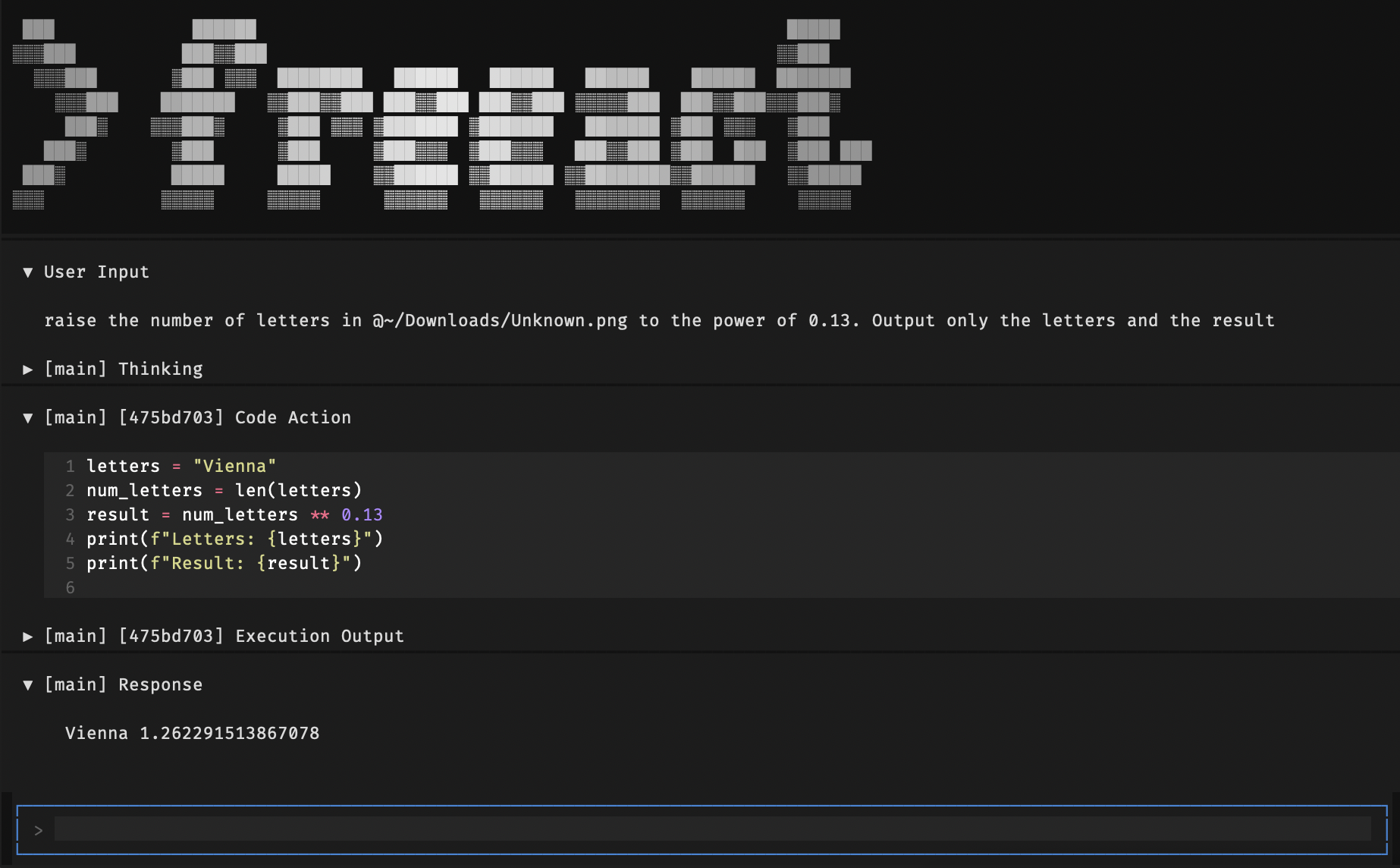
User messages
| Key | Action |
|---|---|
Enter |
Send message |
Ctrl+J |
Insert newline |
Option+Enter (macOS)Alt+Enter (Linux/Windows) |
Insert newline (Ctrl+J fallback) |
Escape |
Cancel the current agent turn, or clear input when idle |
Ctrl+Q |
Quit |
Clipboard
Clipboard behavior depends on terminal key forwarding.
- Paste into the prompt input:
Cmd+VorCtrl+V. - Copy selected text from Freeact widgets:
Cmd+Cmay not work in some terminals. UseCtrl+Cinstead. - Additional terminal fallbacks:
Ctrl+Shift+C/Ctrl+Insertfor copy,Ctrl+Shift+V/Shift+Insertfor paste.
Expand and Collapse
Use Ctrl+O to toggle all collapsible boxes between expanded and configured state.
The shortcut is configured in the [terminal] section of .freeact/config.toml under expand_all_toggle_key.
File References
Include file paths directly in the prompt. The model uses built-in filesystem tools to read them when needed.
screenshot.png What does this show?
Transcribe this voice-note.wav
images/ Describe these images
Type @ in the prompt to open a file picker for easier path insertion. The @ prefix is stripped before sending, so @screenshot.png and screenshot.png are equivalent.
Skill Invocation
The agent automatically uses skills when a request matches a skill's description. The /skill-name syntax is a shortcut to invoke a specific skill explicitly:
/plan my project requirements
/commit fix login bug
- Type
/at the start of a prompt to open a skill picker. - Select a skill to insert its name, then type arguments after it.
- Text after the skill name is passed as arguments to the skill.
- Skill locations:
.agents/skills/(project) and.freeact/skills/(bundled).
Cancellation
Press Escape during an active agent turn to cancel it. This interrupts the current operation (LLM streaming, code execution, or approval wait), stops the turn, and re-enables the prompt input.
Approval Prompt
Before executing code actions, shell commands, and tool calls, the agent requests approval with a [Y/n/a/s] prompt. See Manage permissions for prompt keys, pattern editing, and rule saving, and Permission rules for the persisted format and pattern syntax. Use --skip-permissions to run with full action auto-approval.