CLI quickstart
This tutorial runs a first task with the freeact CLI tool: initialize a workspace, enable tool presets, start the agent, and approve its actions.
1. Initialize a workspace
Create a workspace directory, set your API key, and initialize the .freeact/ configuration directory:
mkdir my-workspace && cd my-workspace
echo "GEMINI_API_KEY=your-api-key" > .env
uvx freeact init
See Installation for alternative setup options and sandbox mode prerequisites.
Using a different model
The current default model is google-gla:gemini-3.6-flash. Freeact supports any model compatible with Pydantic AI. To switch providers or configure model settings, see Configure models.
2. Enable tools
By default, code execution, filesystem tools, and basic tool discovery are enabled. The bundled web tool servers are one-line opt-ins in .freeact/config.toml. For this task, enable web search by uncommenting the corresponding line under [agent.tools]:
[agent.tools]
search = true            # google search (code mode); needs GEMINI_API_KEY
See Add custom tool servers for all presets and custom MCP servers, and Configuration for the full file format.
3. Start the agent
Start the agent:
uvx freeact
On start, the CLI tool auto-generates Python APIs for configured MCP servers. For example, it creates .freeact/generated/mcptools/google/web_search.py for the web_search tool of the bundled google MCP server, enabled by the search preset. With the generated Python API, the agent can import and call this tool programmatically.
Custom MCP servers
For calling the tools of your own MCP servers programmatically, add them to the ptc_servers section in .freeact/config.toml. Freeact auto-generates a Python API for them when the CLI tool starts.
4. Run a task
With this setup and a question like
who is F1 world champion 2025?
the CLI tool should produce an end result similar to the following screenshot:
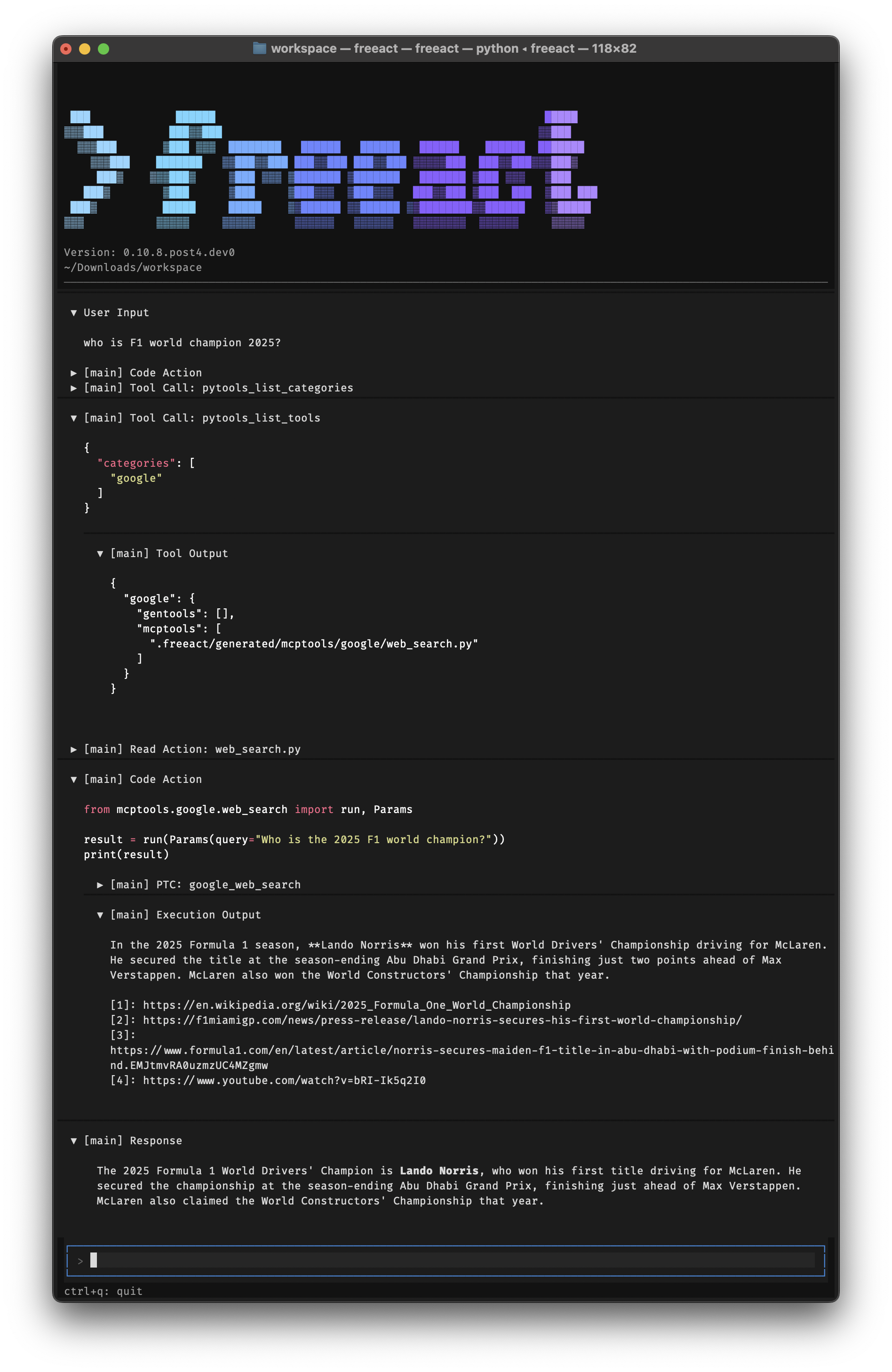
The screenshot shows:
- Progressive tool loading: The agent progressively loads tool information: lists categories, lists tools in the
googlecategory, then readsweb_search.pyto understand the generated interface. - Programmatic tool calling: The agent writes Python code that imports the
web_searchtool frommcptools.googleand calls it programmatically (PTC) with the user's query.
The code execution output shows the search result with source URLs. The agent response is a summary of it.
5. Approve actions
Freeact can prompt for approval before running code actions. Shell commands and programmatic tool calls within code actions are intercepted during execution and approved individually. The screenshot below shows the approval prompt for a programmatic tool call (PTC):
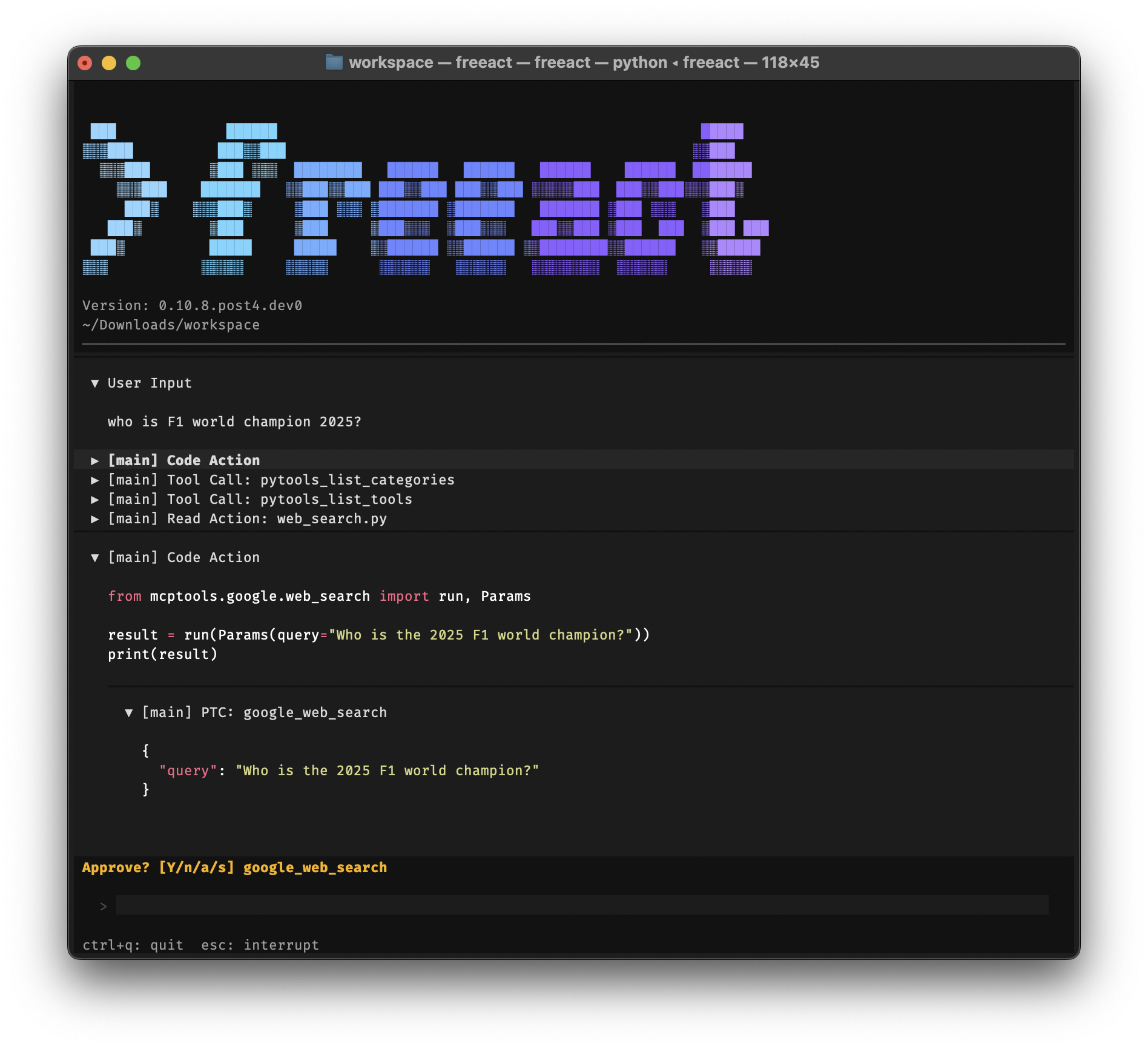
Code actions and tool calls can also be pre-approved. See Manage permissions for prompt options and saving permission rules.
Next steps
- Build the same task programmatically: First agent with the SDK
- Understand what the agent executes: Code actions
- Run code execution with OS-level restrictions: Use sandbox mode